
Call us now :08045476706
 Send Inquiry
 Send Inquiry
Diary with USB
Price 350-1000 INR/ Piece
MOQ : 100 Pieces
Diary with USB Specification
- Style
- PU Leather Diary with Built-in USB
- Interface Type
- USB Type-A
- Application
- Note Keeping, Data Storage
- Platforms
- Windows, Mac OS, Linux compatible
- Speed
- USB 2.0 (up to 480 Mbps)
- Size
- A5 (Approx. 21 x 14.5 cm)
- Power Consumption
- Low
- Type
- Diary with USB Storage
- Weight
- Approx. 350 grams
- Material
- Premium PU Leather
- Closure Type
- Magnetic Clasp
- Battery Requirement
- No Battery Required
- Color
- Brown
- Paper Type
- Ruled
- USB Storage Capacity
- 16 GB
- Pen Holder
- Yes
- USB Location
- Integrated in Cover
- Number of Pages
- 100
Diary with USB Trade Information
- Minimum Order Quantity
- 100 Pieces
- Supply Ability
- 100000 Pieces Per Day
- Delivery Time
- 1 Week
About Diary with USB
Product details
| Branding Type | Engraving |
| Usage/Application | Personal, Data Storage |
| Compatibility | Windows PC,IOS for MAC Book |
| Packaging Type | Box |
| Transfer Speed | 5-7 mbps/Seconds |
| Writing Speed | 5-7 Mbps/Second |
| Style | Diary |
| Memory Size | 8 GB |
| Read Speed | 12-18 mbps/Second |
| USB Version | 2.0 |
Specification
- Storage Options : 4GB, 8 GB
- Compatibility : Windows PC, Mac OS for MAC Book
- USB version: 2.0
- Branding type: Engraving
- Read speed: 12-18 mbps
- Write speed: 5-7 mbps
- Chip warranty: 5 Years
- Chip : Toshiba
- Additional Services: Data Loading and Data Locking
- Min. Order Quantity: 100 units
Versatile Note-Keeping Solution
Combining classic design with modern utility, this PU leather diary seamlessly merges traditional writing and convenient digital storage. The integrated 16 GB USB can hold important documents, presentations, or multimedia, making this diary perfect for business meetings, classrooms, or personal use.
Premium Quality and Functional Design
Crafted from high-quality PU leather in a tasteful brown finish, this A5 diary features 100 ruled pages for easy writing, a secure magnetic clasp, and a handy pen holder. Its thoughtfully designed cover ensures your USB is always protected yet easily accessible when needed.
FAQs of Diary with USB:
Q: How is the USB integrated into the diary and is it easy to use?
A: The USB is discreetly fitted within the diary cover, making it both secure and easily accessible. Simply open the cover to reveal the drive, and plug it into any compatible USB Type-A port to use.Q: What devices and platforms are compatible with the built-in USB?
A: The USB is compatible with major platforms including Windows, Mac OS, and Linux systems, enabling you to store and transfer data across most desktop and laptop computers.Q: When should I use this diary with a USB feature?
A: This diary is ideal for situations where you require both handwritten notes and digital storage, such as business meetings, academic lectures, or travel documentation, ensuring all your important information is centralized.Q: Where is the pen holder and USB located in the diary?
A: The pen holder is conveniently positioned along the spine of the diary, while the USB drive is integrated within the cover, ensuring both are easily accessible and neatly incorporated into the design.Q: What is the process for transferring files to and from the USB?
A: To transfer files, insert the USB into any USB Type-A port on your computer. Once its recognized, simply drag and drop your documents into the drive or from it, just like a standard flash drive.Q: What are the benefits of having a diary with built-in USB storage?
A: This diary allows you to efficiently manage physical notes alongside digital files, reducing the risk of losing essential documents and offering a clutter-free solution for busy professionals and students.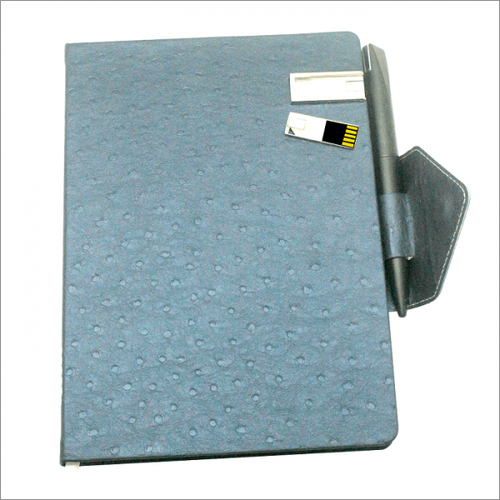
Tell us about your requirement

Price:
Quantity
Select Unit
- 50
- 100
- 200
- 250
- 500
- 1000+
Additional detail
Mobile number
Email

More Products in Customized Pen Drives Category
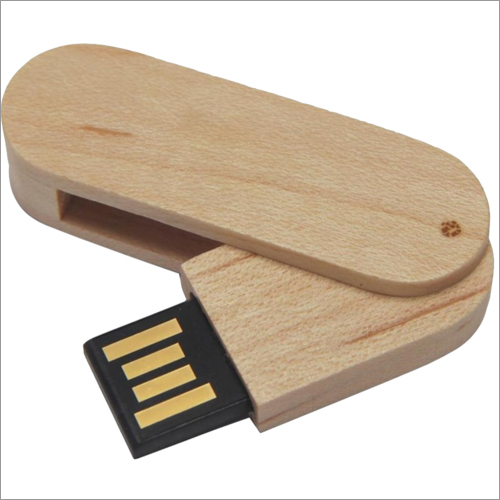
Wooden Swivel Pendrive
Price 250-450 INR / Piece
Minimum Order Quantity : 100 Pieces
Interface Type : Other, USB 2.0 / USB 3.0 (Optional)
Platforms : Other, Windows, Mac OS, Linux
Speed : Other, Read: up to 15 MB/s, Write: up to 10 MB/s
Power Consumption : Low power consumption, USB powered
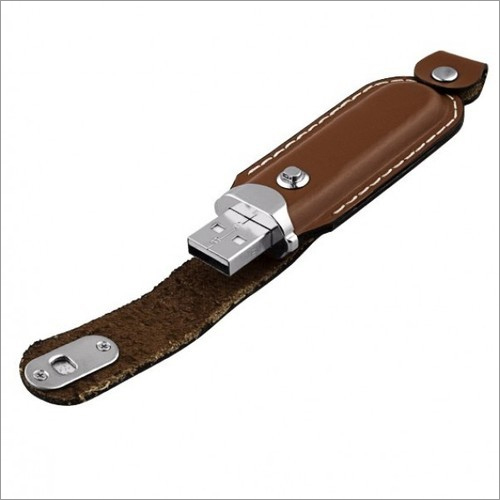
Customized Leather Pen Drive
Price 250-450 INR / Piece
Minimum Order Quantity : 100 Pieces
Interface Type : Other, USB 2.0/3.0
Platforms : Other, Windows, Mac OS, Linux
Speed : Other, Read speed up to 20 MB/s, Write speed up to 10 MB/s
Power Consumption : Low power consumption, USB powered
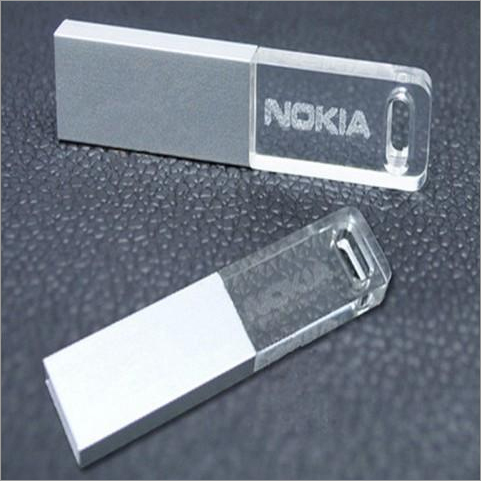
Customized Crystal USB
Price 200-450 INR / Piece
Minimum Order Quantity : 100 Pieces
Interface Type : Other, USB 2.0 / USB 3.0 (Optional)
Platforms : Other, Windows, Mac OS, Linux (Plug & Play)
Speed : Other, Read 1218 MB/s, Write 48 MB/s
Power Consumption : Low, USB Powered
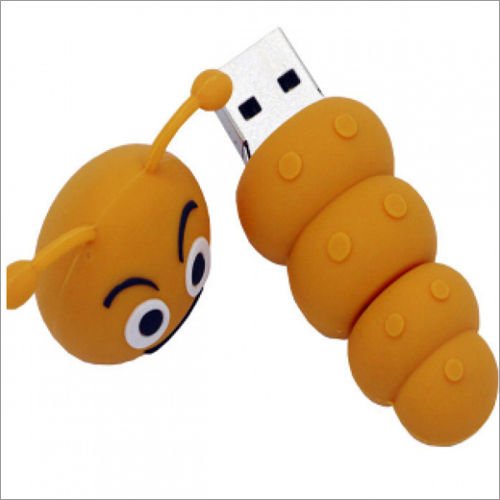
Customized PVC Pen Drive
Price 250-400 INR / Piece
Minimum Order Quantity : 100 Pieces
Interface Type : Other, USB TypeA
Platforms : Other, Windows, Mac OS, Linux Compatible
Speed : Other, USB 2.0/3.0 Data Transfer Rates up to 480 Mbps (USB 2.0), up to 5 Gbps (USB 3.0)
Power Consumption : Low, USB Powered

"We are mainly dealing in South India Only."

 Send Inquiry
Our Products
- Corporate Gift Set
- Customized KeyChains
- Bluetooth Wireless Music Speaker
- Power Bank
- Smart Watch
- Plastic Pens
- Corporate T- Shirts
- Promotional Gift
- Customized Rain Garden Umbrella
- Promotional Wall Clock
- Customized Pen Drives
- Desktop Gifts
- Table Clock
- Sticky Notepad
- Travel Bags
- Fancy Pendrives
- Lifestyle Products
- Wallets & Leather Products
- Cufflinks
- Corporate Ties
- Trophies
- Name Badges
- Customized Tissue Box
- Digital Photo Frames
- Headphones
- Paper Weight
- Video Brochure
- Household Products
- Dry Fruits Gift Box


4/1, First Floor, Inigo Complex, Kalasathamman Kovil Street, Ramapuram,Chennai - 600089, Tamil Nadu, India

 Send Inquiry
 Send SMS
 Call Me Free
Developed and Managed by Infocom Network Private Limited.


