
Call us now :08045476706
 Send Inquiry
 Send Inquiry
Pen USB
Price 250-350 INR/ Piece
MOQ : 100 Pieces
Pen USB Specification
- Style
- Pen USB Combo
- Interface Type
- USB Type-A
- Application
- File Storage, Data Transfer, Digital Signature
- Platforms
- Windows, Mac OS, Linux
- Speed
- USB 2.0/3.0 up to 480 Mbps
- Size
- Standard Pen Size (Approx. 14 cm)
- Power Consumption
- USB Powered (Low Power)
- Type
- Ballpoint Pen
- Cache Capacity
- 32 GB
- Cap Type
- Snap On/Off
- Color Options
- Black, Silver
- Operating Temperature
- 0°C to 60°C
- Writing Ink Color
- Blue
- Encryption
- Optional Software Encryption Support
- Weight
- Approx. 25 grams
- Body Material
- Plastic & Metal
- Compatibility
- Plug & Play, No Driver Required
- Storage Temperature
- -20°C to 85°C
- Data Retention
- 10 Years (typical)
- Reusability
- Refillable (Pen Refill Available)
- Indicator Light
- LED Data Transfer Indicator
Pen USB Trade Information
- Minimum Order Quantity
- 100 Pieces
- Supply Ability
- 100000 Pieces Per Day
- Delivery Time
- 1 Week
About Pen USB
Product details
| Read Speed | 12-18 mbps/Second |
| Usage/Application | Personal, Data Storage |
| Compatibility | Windows PC,IOS for MAC Book |
| Packaging Type | Box |
| Transfer Speed | 5-7 mbps/Seconds |
| Color | Silver, Black |
| Material | Metal |
| Style | Pen |
| Memory Size | 16 GB |
Specification:
- Storage Options : 4GB, 8 GB, 16 GB, 32 GB, 64GB
- Compatibility : Windows PC, IOS for MAC Book
- USB version: 2.0
- Imprint Surface: Metal
- Read speed: 12-18 mbps
- Write speed: 5-7 mbps
- Chip warranty: 5 Years
- Chip : Toshiba
- Min. Order Quantity: 100 units
Elegant Design, Multipurpose Utility
Experience seamless functionality with this Pen USB Combo, bringing together the sophistication of metallic finishes and the practicality of a refillable ballpoint pen. Its snap-on cap protects the pen nib, while the robust metal and plastic housing ensures lasting durability, perfect for frequent use in offices, meetings, or classrooms.
Reliable Data Storage
With a spacious 32GB cache, plug-and-play convenience, and USB 2.0/3.0 interfaces, this device allows effortless storage and transfer of presentations, documents, and media files. Its 10-year typical data retention and LED transfer indicator provide peace of mind for critical tasks, whether youre signing documents or managing important data.
FAQs of Pen USB:
Q: How do I use both the pen and USB flash drive functions?
A: You can use the device as a traditional ballpoint pen for writing, with a refillable ink feature. To use the USB flash drive, simply remove the cap to access the USB Type-A connector and insert it into your computers USB port. No drivers are required, thanks to plug-and-play compatibility.Q: What type of software encryption does this Pen USB support?
A: The Pen USB provides optional software encryption support. You can use third-party encryption software compatible with Windows, Mac OS, or Linux to protect sensitive data stored on the device.Q: When should I refill the pen and how do I do it?
A: Refill the ballpoint pen when the blue ink runs low. To refill, carefully unscrew or pull apart the pen body (depending on the model) to access and replace the ink refill with a compatible cartridge.Q: Where can the Pen USB Combo be used effectively?
A: This combo tool is ideal for offices, educational institutions, business meetings, and on-the-go professionals. Its compact size and dual functionality make it especially practical for carrying in pockets, briefcases, or laptop bags.Q: What is the expected lifespan and reliability of the USB memory?
A: The USB memory offers data retention for up to 10 years under typical conditions. It operates reliably between 0C to 60C and can be stored safely in temperatures as low as -20C or as high as 85C.Q: How does the LED indicator benefit the user during data transfer?
A: The integrated LED data transfer indicator provides visual confirmation when files are being transferred or accessed, helping to prevent data loss due to unexpected removal or improper ejection.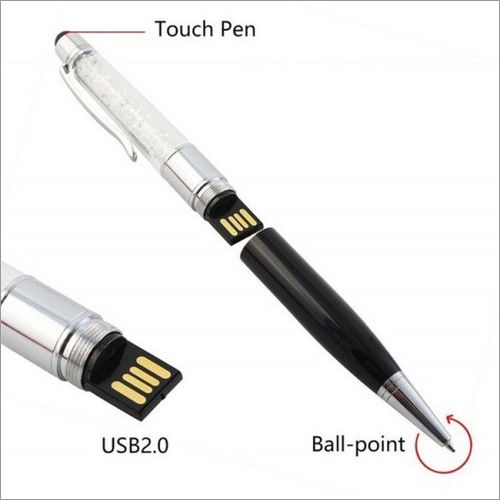
Tell us about your requirement

Price:
Quantity
Select Unit
- 50
- 100
- 200
- 250
- 500
- 1000+
Additional detail
Mobile number
Email

More Products in Fancy Pendrives Category
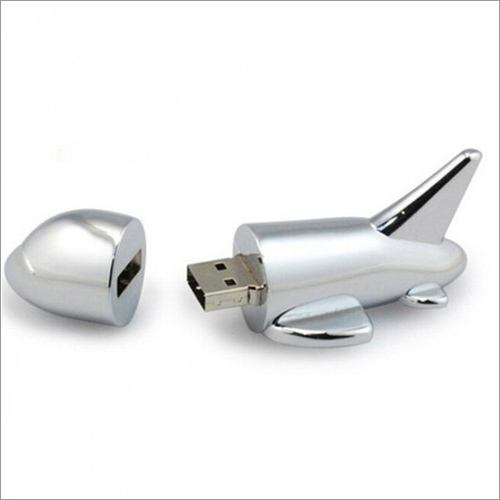
Aeroplane Metal USB
Price 250-450 INR / Piece
Minimum Order Quantity : 100 Pieces
Size : Approx. 55mm x 23mm x 13mm
Application : Data Storage, Transfer
Power Consumption : Low
Speed : Other, USB 2.0 / 3.0 Compatible
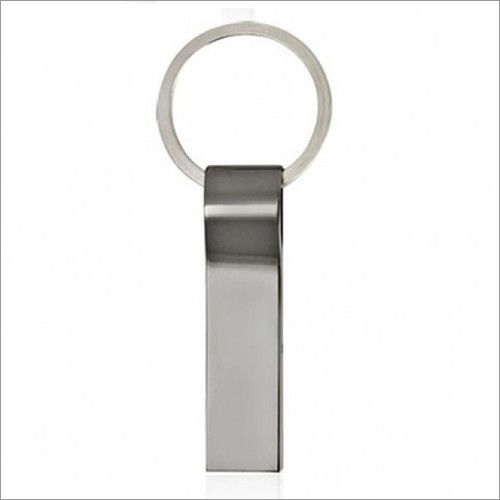
Metal Pendrive
Price 200-300 INR / Piece
Minimum Order Quantity : 100 Pieces
Size : Compact (Approx. 60mm x 18mm x 8mm)
Application : Data storage, file transfer
Power Consumption : Low, USB powered
Speed : Other, Read: up to 60MB/s, Write: up to 20MB/s
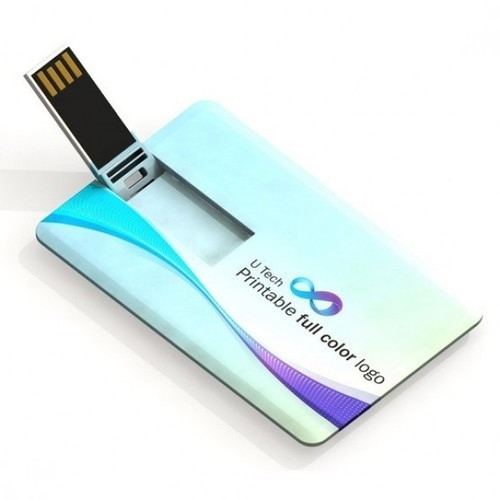
Card USB Drive
Price 150-250 INR / Piece
Minimum Order Quantity : 100 Pieces
Size : 85.6mm x 54mm x 1.2mm
Application : Data Storage, Corporate Gifting, Promotion
Power Consumption : Low (USB Powered)
Speed : Other, USB 2.0: 1018MB/s read, 510MB/s write
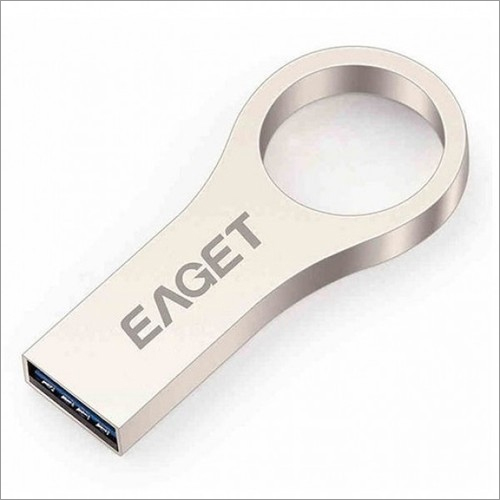
Metal Big Ring USB
Price 250-350 INR / Piece
Minimum Order Quantity : 100 Pieces
Size : 43mm x 12mm x 4mm (LxWxH)
Application : Personal, Office, Promotional Use
Power Consumption : Low Power Consumption
Speed : Other, Read up to 20 MB/s, Write up to 10 MB/s

"We are mainly dealing in South India Only."

 Send Inquiry
Our Products
- Corporate Gift Set
- Customized KeyChains
- Bluetooth Wireless Music Speaker
- Power Bank
- Smart Watch
- Plastic Pens
- Corporate T- Shirts
- Promotional Gift
- Customized Rain Garden Umbrella
- Promotional Wall Clock
- Customized Pen Drives
- Desktop Gifts
- Table Clock
- Sticky Notepad
- Travel Bags
- Fancy Pendrives
- Lifestyle Products
- Wallets & Leather Products
- Cufflinks
- Corporate Ties
- Trophies
- Name Badges
- Customized Tissue Box
- Digital Photo Frames
- Headphones
- Paper Weight
- Video Brochure
- Household Products
- Dry Fruits Gift Box


4/1, First Floor, Inigo Complex, Kalasathamman Kovil Street, Ramapuram,Chennai - 600089, Tamil Nadu, India

 Send Inquiry
 Send SMS
 Call Me Free
Developed and Managed by Infocom Network Private Limited.


